
Blog
Infinite Scroll in PrestaShop 9: What Changes with the Hummingbird Theme
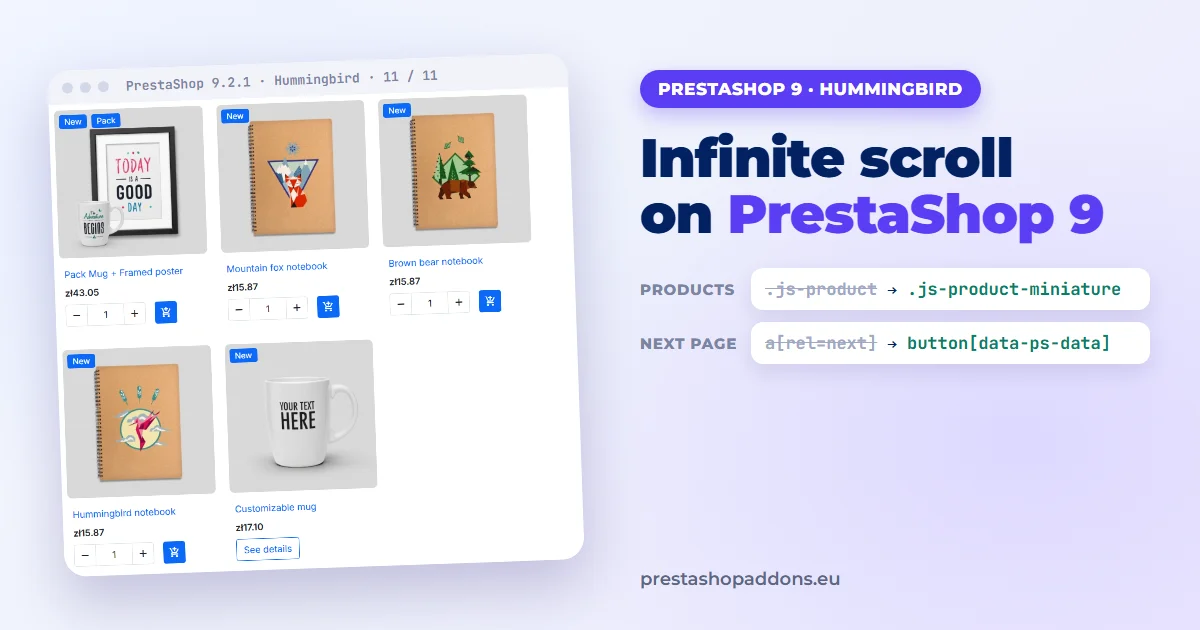
A new PrestaShop 9 store starts on Hummingbird, the new default theme. For most of the store that change is visual. For anything that reads the product list with JavaScript, it is structural: Hummingbird marks up product tiles and pagination differently from the Classic theme.
Infinite scroll and “Load more” buttons are a clear example, because they depend on that markup. This guide shows what changed, what it means for infinite scroll, and how to check it on a copy of your store in about ten minutes. It is part of a wider upgrade, so if you are planning the move from 1.7 or 8, start with our PrestaShop 1.7 to 9 upgrade checklist.
Everything below was tested on PrestaShop 9.2.1 with PHP 8.3 and debug mode on, on both themes.
What Hummingbird changes in the product list
New PrestaShop 9 installations use Hummingbird by default. We tested 9.2.1; according to the Hummingbird repository, it is the default theme from PrestaShop 9.1. Stores that upgrade keep their current theme, so a Classic-based store still behaves like Classic until the theme is changed.
Three differences matter for infinite scroll.
1. Product tiles have no wrapper
In Classic, every product sits in a wrapper with the js-product class, and the tile itself is inside it:
<div class="js-product product">
  <article class="product-miniature js-product-miniature" data-id-product="7">…</article>
</div>
In Hummingbird, the tile is placed directly in the grid, and there is no js-product element:
<article class="product-miniature js-product-miniature" data-id-product="7">…</article>2. Pagination uses buttons instead of links
Classic renders the page numbers as links, with rel="next" on the link to the next page:
<a rel="next" href="…/6-accessories?page=2" class="next js-search-link">Next</a>Hummingbird renders them as buttons. The address of the page is in a data-ps-data attribute, and there is no href or rel="next" in the list:
<button data-ps-data="…/6-accessories?page=2" class="page-link next js-pager-link">…</button>3. The page URLs stay the same
Pages are still ?page=2, ?page=3 and so on, and they still work when opened directly. The <head> of each page keeps its canonical tag and the rel="prev" and rel="next" links, so search engines can follow the pages as before.
What this means for infinite scroll
An infinite scroll script needs to know two things: which elements are products, and where the next page is. A script written for Classic usually looks for .js-product and a[rel="next"]. On Hummingbird it finds neither.
What the customer sees then depends on the script. In the worst case, the script hides the page numbers, as it should, and then has nothing to load. The customer sees the first page of products, then “No more products”, with no way to reach page 2.
We are writing this from our own test. Version 2.4.0 of our Infinite Scroll module did exactly that on Hummingbird. Version 2.4.1 reads products and the next page from both themes. We tested it on categories, search, brand pages and new products, with filters and sorting, in both modes and on both themes.
There is also a PHP side. PrestaShop 9.0 removed Controller::ajaxDie(), a method that front controllers used to send AJAX responses. A module that still calls it stops answering on PrestaShop 9, whatever the theme. We described that change and its fix in our PrestaShop 9 module upgrade case study.
How to test infinite scroll on a copy of your store
Run these checks on a staging copy with PrestaShop 9 and debug mode on. Before opening the browser, it is worth scanning the module’s PHP with our free PrestaShop 9 compatibility checker. It finds removed classes and methods such as ajaxDie(), but it cannot see theme markup, which is why the browser checks below are still needed.
- A category with more than one page of products. If your test data is small, lower “Products per page” in Shop Parameters → Product Settings. Four products per page gives you several pages from the demo catalog.
- Every listing type, not only categories. Search results, brand and supplier pages, new products, prices drop and best sales use different controllers. A module can work on categories and stop on search.
- Filters and sorting. Open a filtered URL directly, then click a filter on the page and load more products. The faceted search module replaces the product list with AJAX, and the script has to start again on the new list.
- Both modes. If the module offers a “Load more” button and automatic loading, check each one.
- The count at the end. When nothing more loads, the number of products on the page should match “There are N products” at the top, with no product shown twice.
- The browser console and the PHP logs. With debug mode on, errors from the module show up in the console, in
var/logs, or in the web server log. - The pages without JavaScript. Open
?page=2directly and view the source: the products of page 2 should be there, along with thecanonicalandrel="next"tags.
Repeat the same checks on Classic if your store will keep it for a while. Both themes are included in PrestaShop 9.
SEO: what has to stay in place
Infinite scroll should be added on top of normal pagination, not instead of it. Every page of the category keeps its own URL, and the products on it can be reached without scrolling or clicking. Hummingbird keeps that structure, so the work is in the module: it may hide the page numbers for visitors, but it should not remove the pages. The full list of checks is in Pagination vs Infinite Scroll in PrestaShop, and the setup itself is described in how to add a Load more button or infinite scroll to PrestaShop category pages.
Frequently asked questions
Does infinite scroll work on PrestaShop 9?
Yes, when the module supports the PrestaShop 9 PHP changes and the theme it runs on. On Hummingbird, it has to read product tiles without the js-product wrapper and pagination buttons instead of links.
Is Hummingbird the default theme in PrestaShop 9?
Yes, for new installations. According to its repository, Hummingbird is the default theme from PrestaShop 9.1. Stores upgraded from 1.7 or 8 keep their current theme.
Will my Classic-based theme still work after the upgrade?
Classic is still included in PrestaShop 9, so a store can upgrade and keep it. Child themes and custom templates should be checked like any other part of the upgrade.
Load more button or automatic loading on PrestaShop 9?
The theme does not change that choice. The trade-offs are the same as on earlier versions, and we compare them in Load more button vs auto-load infinite scroll.
Another module stops after the first page on PrestaShop 9, or does not install at all? That is the work we do: PrestaShop 9 module fixes.