
Blog
Free PrestaShop 9 Compatibility Checker for Modules
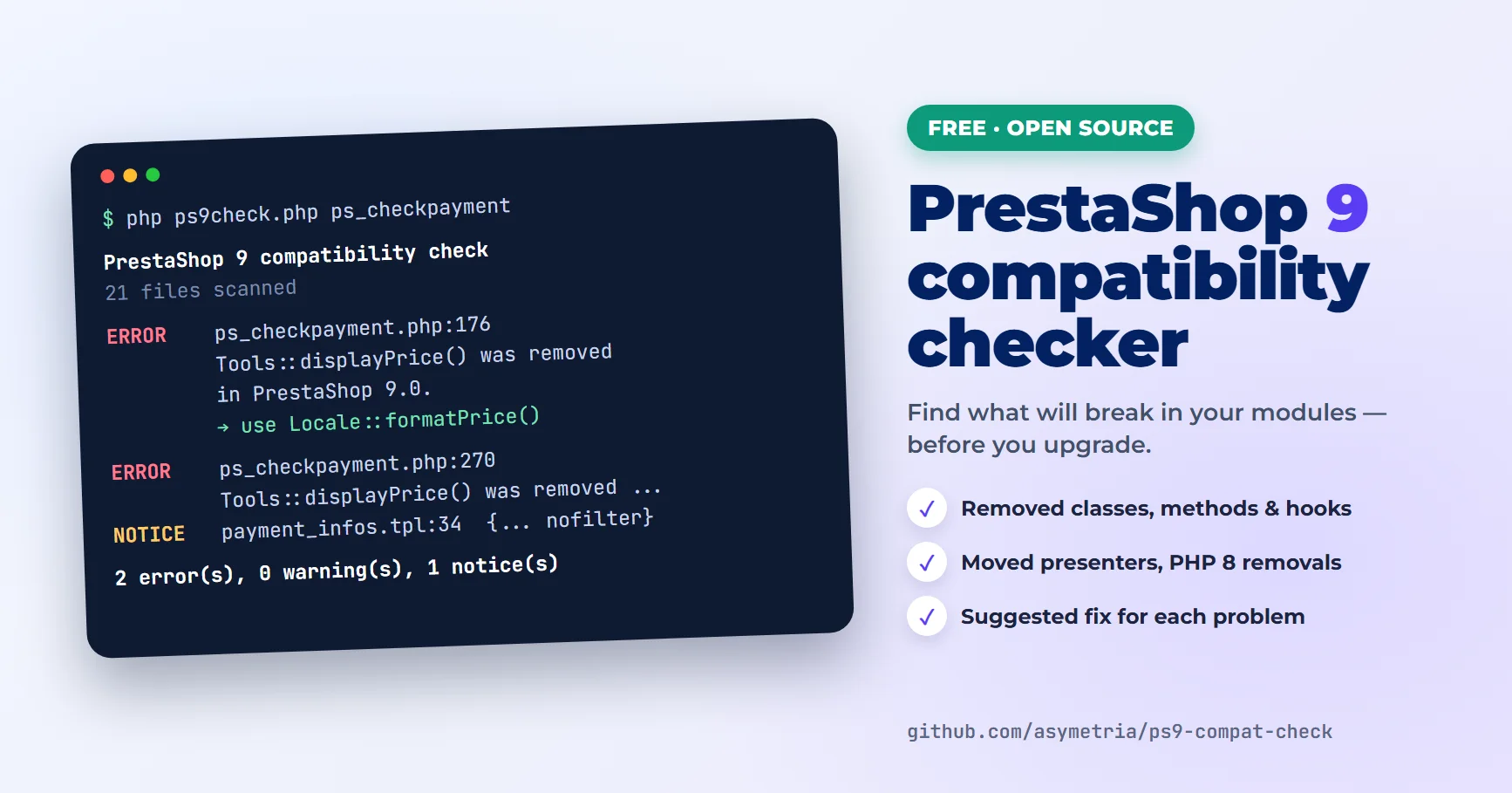
Before you upgrade a store to PrestaShop 9, you want to know which modules will break. Installing each one on a test copy and clicking through it works, but it is slow, and it only shows the problems you happen to trigger.
So we wrote a small script that does the first pass for you. ps9check scans a module and lists the code that PrestaShop 8 or 9 removed: core classes and methods, hooks, presenter classes that moved, PHP functions removed in PHP 8, and a few theme and Addons-validation pitfalls. It is free and open source: github.com/asymetria/ps9-compat-check.
Quick start
You need PHP 7.4 or newer on your computer or server. PrestaShop and Composer are not needed.
- Download the script: ps9-compat-check (ZIP), and unpack it.
- Run it on a module folder or a module ZIP:
php ps9check.php /path/to/modules/yourmodule
php ps9check.php yourmodule.zip
On a store, modules live in the modules/ folder. To check all of them at once on Linux or macOS:
for m in /var/www/shop/modules/*/; do php ps9check.php "$m"; doneWhat a report looks like
This is the result for version 2.0.4 of ps_checkpayment, one of PrestaShop’s own payment modules, written in the PrestaShop 1.7 days:
PrestaShop 9 compatibility check — ps_checkpayment 2.0.4
21 files scanned

ERROR    ps_checkpayment.php:176
         Tools::displayPrice() was removed in PrestaShop 9.0.
         → Use $this->context->getCurrentLocale()->formatPrice($price, $this->context->currency->iso_code).

ERROR    ps_checkpayment.php:270
         Tools::displayPrice() was removed in PrestaShop 9.0.

NOTICE   views/templates/front/payment_infos.tpl:34
         Unfiltered output ({... nofilter}). The PrestaShop Addons review reports it as a security issue.

2 error(s), 0 warning(s), 1 notice(s)
PrestaShop fixed this module long ago, and the current version comes out without errors. But the same code is still running in plenty of stores, together with third-party modules whose authors never updated them.
Each finding points to a file and a line. For the most common problems the report also suggests the replacement, so you can see straight away whether the fix is a one-liner or a bigger job.
What it checks
- Removed core classes, whether used with
new,extends,useor static calls. When a class only moved, for example the cart and product presenters, the report shows the new namespace. - Removed core methods, such as
Tools::displayPrice(),Tools::encrypt()orConfiguration::getInt(), including methods a module inherits:$this->addMedia()in a front controller or$this->ajaxDie(). - Removed constants and hooks, both in
registerHook()and inhookXxx()methods that will never be called again. - The declared compatibility range. If
ps_versions_compliancyends below 9.0, PrestaShop 9 will not install the module at all. - PHP 8 removals. PrestaShop 9 needs PHP 8.1 or newer, so functions like
create_function()oreach()are reported too. - Overrides of core methods that no longer exist, which silently stop working.
- Hummingbird and Addons pitfalls: modules that pass their own HTML to the theme’s cart modal, theme-dependent template includes, and
nofilteroutput.
Where the list of removed code comes from
We did not write the list by hand. A second script in the repository reads the PrestaShop source code for versions 1.7.8, 8.2 and 9.0, compares their classes, methods, constants and hooks, and records what disappeared and in which version. The current data covers 444 removed classes, about 1,800 removed methods, 23 constants and 16 hooks. Anyone can rebuild it from the official releases.
We checked the results against real code. On our own Block Sliding Cart module, before we brought it to PrestaShop 9, it reports exactly the problems that the Addons validation flagged at the time. On the current version, which passed that validation, it reports nothing. The current versions of PrestaShop’s own modules also come out without errors.
Using it in CI
The script returns exit code 1 when it finds errors, so it can stop a build. For a module kept on GitHub, two steps in a workflow are enough:
- run: curl -sL https://github.com/asymetria/ps9-compat-check/archive/refs/heads/master.tar.gz | tar xz
- run: php ps9-compat-check-master/ps9check.php .
Use --format=json for your own tooling, or --format=md for a table you can paste into an issue or a report.
What it cannot do
This is a static scan, so it reports code that PrestaShop removed. It cannot tell what type a variable has, so a call like $product->something() is only reported when that method name no longer exists anywhere in the core. It also does not catch changed behaviour or errors that only appear at runtime.
Treat it as the first pass. After that, install the module on a PrestaShop 9 copy with debug mode on, open its configuration page and click through the front office on the Hummingbird theme. We described what that turned up for our own module in Upgrading a PrestaShop Module to PrestaShop 9: What Broke and How We Fixed It.
Frequently asked questions
Is the checker free?
Yes. It is open source under the MIT licence, and you can use it on your own store, on client stores, or inside your own tools.
Does it change my module or upload anything?
No. It only reads the files and prints a report. Nothing is modified and nothing leaves your computer.
Can I run it on a live store?
Yes, it only reads files. Still, the safest way is to download the modules/ folder, or the module ZIPs, and run the check on your own computer.
The report is empty. Is my module ready for PrestaShop 9?
It means none of the known removals were found, which is a good sign. Test it on a PrestaShop 9 copy anyway: the checker cannot see changed behaviour or theme-specific layout problems.
Which PrestaShop versions does it cover?
It reports what was removed between 1.7.8 and 9.0, so it is useful both for 1.7 modules going to 8 or 9 and for 8.x modules going to 9.
If the report is long
Some fixes are a single line. Others mean rewriting how a module loads its classes or renders its templates. If you would rather have someone else do it, that is the work we do: PrestaShop module fixes. Send us the report and we will reply with questions or a quote.