
Blog
Upgrading a PrestaShop Module to PrestaShop 9: What Broke and How We Fixed It
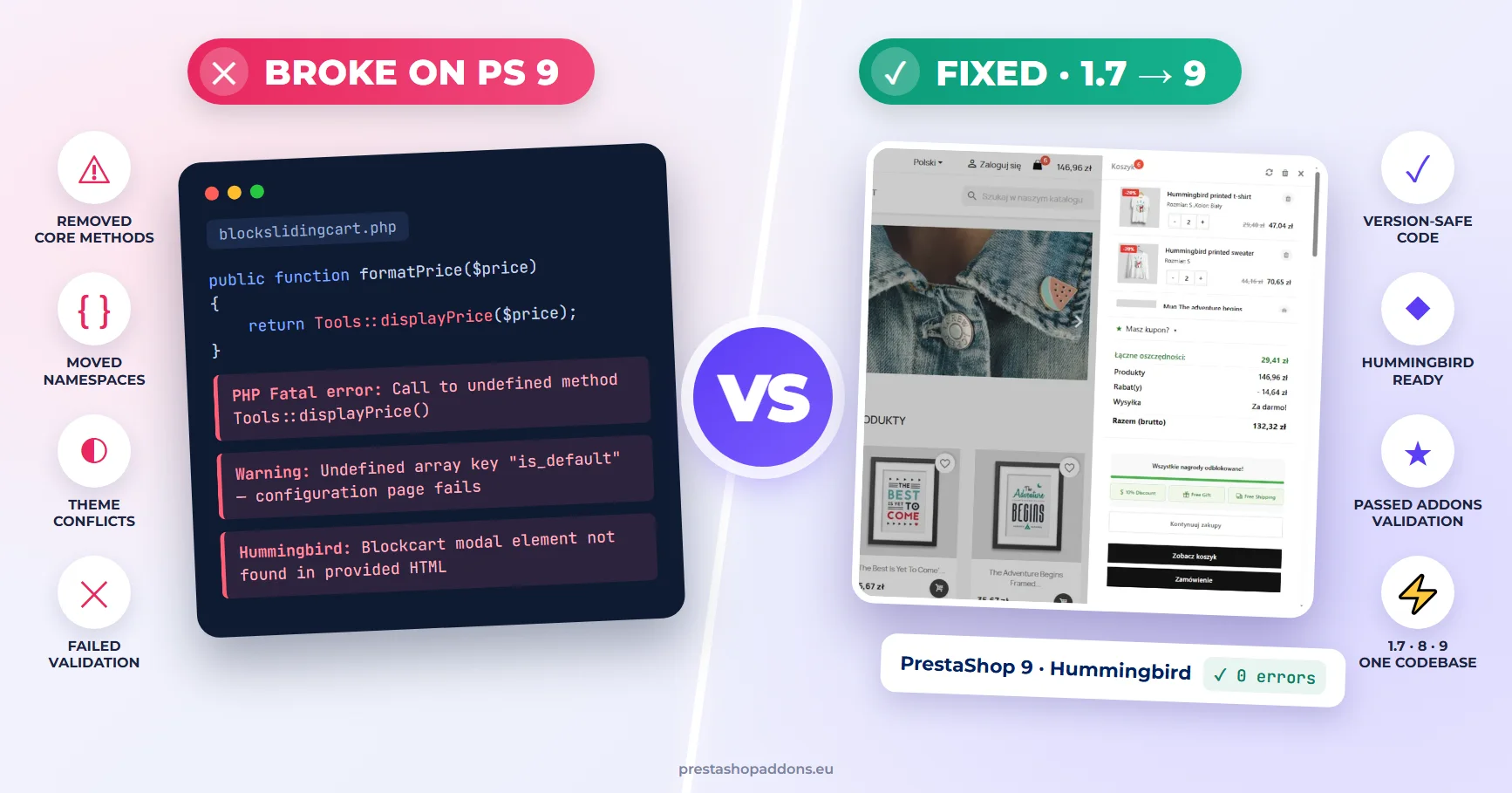
Block Sliding Cart is one of the oldest modules in our catalogue. It was first listed on PrestaShop Addons in 2013, and for years it simply worked. Then PrestaShop 8 arrived, we didn’t keep up with it, and in 2023 the listing went inactive.
In 2026 we brought it back: one codebase for PrestaShop 1.7, 8 and 9, the Classic theme and Hummingbird. This is the list of what actually broke along the way and how each problem was fixed. If you are planning a PrestaShop 9 upgrade, most of these will apply to your own modules too.
Short version: the PHP side needed fewer changes than expected. Most of the time went into the new default theme and into passing the Addons validation, where a warning on one PrestaShop version can fail the whole review.
1. PHP: what PrestaShop 9 removed or moved
Tools::displayPrice() is gone
The module formatted prices in seven places with Tools::displayPrice(). The method was deprecated for a long time and PrestaShop 9 finally removed it, so every one of those calls became a fatal error.
The replacement is the current locale, which already knows the currency format of the shop. We put both paths behind one helper, so the rest of the module never has to care which PrestaShop version it runs on:
public function formatPrice($price)
{
    if (method_exists('Tools', 'displayPrice')) {
        // PrestaShop 1.7 / 8: keep the old behaviour
        return Tools::displayPrice((float) $price);
    }
    $locale = $this->context->getCurrentLocale();
    $isoCode = isset($this->context->currency) ? $this->context->currency->iso_code : '';

    return $locale->formatPrice((float) $price, $isoCode);
}
Templates use the same helper through a small Smarty modifier registered by the module, so {$price|scdisplayprice} works on every version.
Presenter classes changed namespace
The module renders the cart with PrestaShop’s own CartPresenter, so prices, discounts and product names look exactly like in the rest of the store. Between 1.7 and 8 that class moved from Adapter\Cart to Adapter\Presenter\Cart. Instead of class_alias tricks, the module resolves the class name once:
private function getCartPresenterClass()
{
    return class_exists('PrestaShop\\PrestaShop\\Adapter\\Presenter\\Cart\\CartPresenter')
        ? 'PrestaShop\\PrestaShop\\Adapter\\Presenter\\Cart\\CartPresenter'
        : 'PrestaShop\\PrestaShop\\Adapter\\Cart\\CartPresenter';
}
The same pattern covers the product presenters used for cross-sell. One more detail: on PrestaShop 8 and 9 present() returns a lazy array object, not a plain array, so type hints that say array need to allow ArrayAccess as well.
Static analysis runs against PrestaShop 9
The Addons validator runs PHPStan against the PrestaShop 9 source. A call that is perfectly safe at runtime, because it sits behind a method_exists() check, is still reported as “call to an undefined method”. We reproduced the validator locally (PHPStan with a bootstrap that loads the PrestaShop 8 and 9 sources) so that each fix could be checked in minutes instead of waiting for another review.
2. Hummingbird: four bugs that only appeared on the new theme
Hummingbird is the default theme of PrestaShop 9 (source on GitHub). Nothing below showed up in static analysis or on PrestaShop 8 with the Classic theme. All four were found by clicking through a real PrestaShop 9 store.
CSS cascade layers turned the cart list into a grid
Hummingbird styles the .products class as a two-column grid inside @layer ps-components. Our cart list used the same class name for compatibility, so in the side panel the products suddenly sat in two narrow columns. Raising specificity does not help against layers in the usual way; what helps is that unlayered CSS wins over layered CSS. A short unlayered rule in the module’s stylesheet fixed it:
#sclist .products,
#sclist .product_list_widget {
    display: block;
    grid-template-columns: none;
}
The theme’s cart modal expects its own markup
The module used to open its “added to cart” popup through prestashop.blockcart.showModal. Hummingbird replaces that function with its own version, which looks for an element with data-ps-ref="blockcart-modal" and throws an error when it is given different HTML. The fix was to always use the module’s own modal renderer instead of the theme’s.
A stale element reference in the “fly to cart” animation
The animation stored the cart icon when the button was clicked and read its position 250 ms later. On Hummingbird the header cart is re-rendered in between, so the stored element was no longer in the page and offset() returned undefined. The module now looks the icon up again at the moment it needs it, and skips the animation if the theme has no reachable cart icon. The panel itself still opens either way.
A fixed button escaping the panel on mobile
On phones the checkout button is position: fixed at the bottom of the side panel. A fixed element is positioned relative to the nearest ancestor with a transform — and the panel only has one while it is open. When the panel was closed, the button attached itself to the viewport and floated at the bottom of every page. Scoping the rule to the open state (.sc-widget-panel-open) solved it.
3. Addons validation: what the review actually checks
Getting a module listed again meant going through the PrestaShop validator and then a compliance review that installs the module on several PrestaShop versions with debug mode on. These were the findings that took the most time.
Every Smarty variable must be escaped
Older templates relied on automatic escaping. The review now treats any unescaped output as a blocker. We went through all seven front-office templates: |escape:'html':'UTF-8' for text, URLs and attributes, |intval for IDs and quantities, |escape:'javascript':'UTF-8' inside inline scripts.
nofilter is reported as a security issue, even when justified
The module lets the shop owner paste their own icon HTML (a Font Awesome tag or an SVG). That output used nofilter, with a comment explaining why. The reviewer flagged it anyway. The accepted solution was a custom Smarty modifier that sanitizes the HTML — removes <script> and <style> blocks, inline event handlers and javascript: URLs — so the template no longer needs nofilter at all.
No HTML inside PHP
A small support panel on the configuration page was built as an HTML string in PHP. It moved to its own admin template. One trap: on PrestaShop 8.1 the admin Smarty security policy blocks a raw $this->context->smarty->fetch() of a file in the module folder. Use the module resource instead:
$output .= $this->fetch('module:yourmodule/views/templates/admin/support.tpl');A warning in debug mode can fail the review
This one took three attempts. The compliance report said the configuration page “could not be accessed” on PrestaShop 8.1 and 9.0, without an error message. The cause turned out to be a single notice: Undefined array key "is_default" in the HelperForm template. Language::getLanguages() does not return that key, the form template reads it for every language, and the review’s strict debug mode turns that notice into a failed page. On a normal test store with debug mode it shows only as a warning, which is why it was easy to miss.
$languages = Language::getLanguages(false);
$idDefaultLang = (int) Configuration::get('PS_LANG_DEFAULT');
foreach ($languages as $k => $lang) {
    $languages[$k]['is_default'] = ((int) $lang['id_lang'] === $idDefaultLang) ? 1 : 0;
}
The lesson: before submitting, open the configuration page on PrestaShop 8 and 9 with debug mode on and treat every notice as an error.
Coding standards, with one conflict
The validator applies PHP-CS-Fixer rules. Two details cost us a resubmission each: in a file without a namespace, write catch (Throwable $e), not \Throwable; and keep the licence docblock directly after <?php, with no blank line. A generic PHP-CS-Fixer configuration will try to insert that blank line, so run the validator’s rules, not a generic preset.
A checklist for your own modules before upgrading to PrestaShop 9
- Run our free PrestaShop 9 compatibility checker on the module. It lists the removed classes, methods and hooks that the next points cover, with the file and line.
- Search the code for
Tools::displayPriceand other methods removed in 9.0 (the PrestaShop 9 developer documentation lists the changes). - Look for classes referenced by their old namespaces, especially presenters and adapters.
- Install the module on a PrestaShop 9 copy with debug mode on and open its configuration page. Read every notice.
- Test the front office on Hummingbird, not only Classic: popups, the header cart, product lists and mobile layout.
- Check templates for unescaped variables and
nofilter. - Check the module’s declared compatibility range. It should match the versions you have actually tested.
Where the module is now
Block Sliding Cart runs on PrestaShop 1.7, 8 and 9, passed the Addons validation and is listed again, with its history and its 36 reviews (4.7★) intact. You can see what it does here, and the reasons behind an AJAX cart are covered in AJAX cart vs page reload and mobile cart UX for PrestaShop.
If a module in your store broke after an upgrade, or you want to know what will break before you upgrade, this is the work we do. Tell us what’s wrong and we will reply with questions or a quote.
Frequently asked questions
Is Tools::displayPrice() removed in PrestaShop 9?
Yes. Use the current locale instead: $this->context->getCurrentLocale()->formatPrice($price, $currencyIsoCode). If your module must also support PrestaShop 1.7, put both paths behind one helper method.
Do PrestaShop 1.7 modules work on PrestaShop 9?
Some do without changes. Modules that use removed core methods, old class namespaces or theme-specific JavaScript need updates. Installing the module on a PrestaShop 9 copy with debug mode on shows most of the problems within minutes.
Why does my module look broken on Hummingbird but not on Classic?
Hummingbird uses different markup, CSS cascade layers and its own JavaScript for the cart. Modules that reuse Classic class names, or call the theme’s cart functions, are the most affected.
Why does the Addons compliance review fail the configuration page?
The review installs the module on several PrestaShop versions with strict debug mode, where notices such as “undefined array key” make the page fail. Open the configuration page yourself on PrestaShop 8 and 9 with debug mode on and fix every notice before submitting.