
Blog
Pagination vs Infinite Scroll in PrestaShop: The SEO and UX Tradeoffs
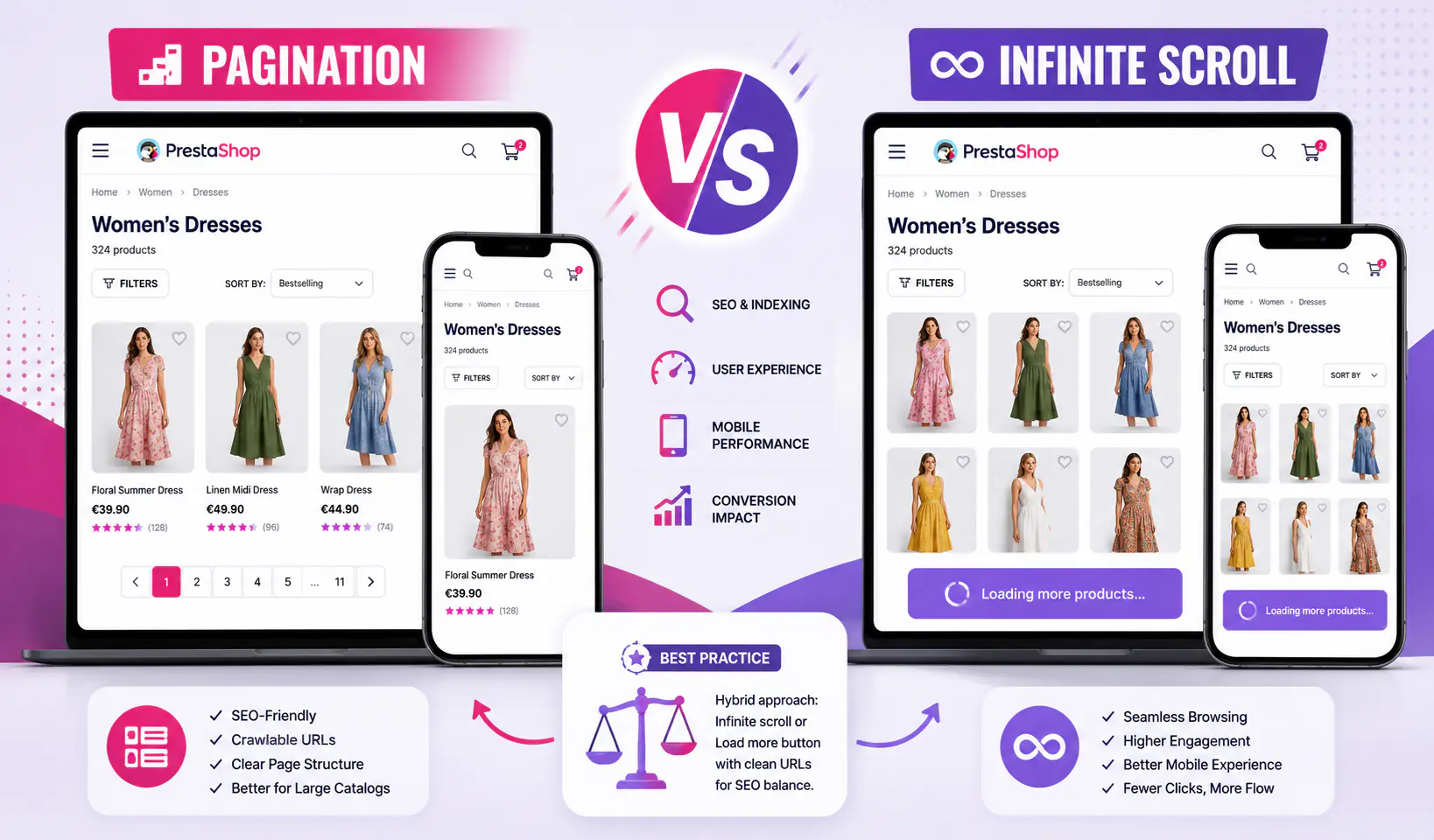
Every PrestaShop store with a large catalog eventually hits the same question: classic pagination (/category/page-2) or infinite scroll that loads more as shoppers browse? The answer matters more than most store owners realize — it affects organic rankings, mobile conversion, shopper memory of what they’ve seen, and back-button behavior.
Short version: both can work, but only if implemented correctly. Here’s the head-to-head comparison, the SEO myth explained, and the decision rule for PrestaShop stores in 2026.
How each one actually works
Classic pagination
- User sees 24-36 products, “Next page” link at bottom
- Click → full page reload to
?page=2 - New set of products renders, scroll resets to top
- URL changes → bookmarkable, shareable, back-button works
Predictable, Google-friendly, but every page reload is a UX interruption.
Infinite scroll
- User scrolls to the bottom of the visible products
- JavaScript detects the end and fires AJAX request for the next batch
- Products append to the page; no reload, no scroll reset
- (If well implemented) URL updates via History API:
/category#page-2or/category?page=2
Smoother UX, but every shortcut has tradeoffs — covered below.
Load-more button (the hybrid)
A third option worth mentioning early: a visible “Load more” button that the user explicitly clicks to fetch the next batch. Technically it’s AJAX like infinite scroll, but user-initiated. It solves most of the issues of auto-scroll while keeping the “no full reload” benefit. Full comparison in Load More vs Auto-Load.
Head-to-head on 6 dimensions that matter
1. SEO (category ranking)
This is where the biggest myths live. The reality:
- Pagination: SEO-safe by default. Googlebot follows paginated URLs, indexes each page if they’re crawlable. Use
<link rel="canonical">pointing to page 1 from page 2+, or let each paginated page self-canonicalize (both approaches work in 2026). - Infinite scroll: SEO-safe only if URLs update (via History API) and paginated variants are crawlable. Without that, Googlebot only sees page 1 and never reaches products beyond that — a disaster for large catalogs.
- Load-more button: Can be either. If clicking updates URL (
/category?page=2), it’s SEO-safe. If it just appends products to the DOM without URL change, it’s effectively invisible to Googlebot for anything beyond the initial load.
The critical question: can Googlebot access products on page 2, 3, 4 via a URL alone? If yes, you’re fine. If no, your long tail of products is invisible to search.
2. User experience (flow + memory)
Nielsen Norman Group research (still widely cited as the definitive study on infinite scroll):
- Infinite scroll wins for exploratory browsing (feed-style content where users don’t have a specific target)
- Pagination wins when users are comparing options or want a sense of “how much is there”
- Users remember pagination better — the page number acts as a memory anchor (“that product was on page 3”)
For ecommerce specifically, most shoppers are in search mode rather than feed mode. They want to narrow down, not endlessly browse. This nuances the “infinite scroll = better UX” assumption.
3. Mobile experience
Here infinite scroll has a clear edge. Mobile users scroll naturally; a “Next page” link at the bottom requires precise tapping and a disruptive page reload. On slow 4G, a reload is 2-4 seconds of blank screen.
Load-more button splits the difference — no page reload, but explicit user action.
4. Performance (page weight + Core Web Vitals)
Counter-intuitive finding: infinite scroll can hurt Core Web Vitals if not implemented carefully.
- Initial load is the same (both start with 24-36 products)
- As infinite scroll loads more, the page grows — eventually thousands of DOM nodes
- Memory usage climbs, layout calculations slow, scrolling gets janky on mid-range phones
- The “Interaction to Next Paint” (INP) metric that replaced FID in 2024 is particularly sensitive to bloated DOM
Solutions: windowing/virtualization (only keep 50-100 products in DOM, swap out as user scrolls away) or per-batch cleanup (remove images far above viewport).
Load-more button plateaus gracefully — user has to keep clicking, so DOM growth is user-controlled.
5. Accessibility
Infinite scroll is hostile to keyboard and screen reader users by default. When new products load on scroll, focus stays where it was, and there’s no announcement that content changed. Screen reader users may never reach the “load more” trigger.
Pagination is accessible by default — standard link, standard focus behavior.
Good infinite-scroll implementations add aria-live="polite" regions that announce “20 more products loaded” and skip-to-navigation links. Bad ones (most default PrestaShop modules) don’t.
6. Analytics (tracking what users see)
Pagination generates clean pageviews per page. Your funnel analysis in Google Analytics 4 treats ?page=2 as a distinct pageview.
Infinite scroll requires explicit tracking — fire a custom event each time a batch loads. Default PrestaShop infinite-scroll modules often skip this, so analytics shows all visitors “only viewing page 1” when actually most scrolled to page 5-6.
Load-more button is easiest to track — button click = event.
The SEO myth — “infinite scroll kills rankings”
This belief persists because badly implemented infinite scroll does kill rankings. Specifically, implementations that:
- Don’t update the URL
- Don’t provide paginated fallback URLs
- Don’t use
pushStateto make each “page” bookmarkable - Don’t add
rel="next"/"prev"or equivalent structured hints
Well-implemented infinite scroll — for example, one that transparently updates the URL to ?page=N as the user scrolls, while also serving a clean paginated version to Googlebot — is as SEO-safe as classic pagination. Google’s own guidance has said this since 2019 and again in 2023 (John Mueller multiple times on Google Search Central videos).
The Infinite Scroll module on this site uses the SEO-safe approach: it keeps PrestaShop’s native pagination in the HTML (hidden from users via CSS) so Googlebot can crawl ?page=2, ?page=3 URLs directly, while also offering a button-trigger mode as an alternative to auto-scroll.
When pagination wins
- Catalogs under 200 products (paginaton feels natural at this scale)
- Comparison-heavy categories (users want “all of them visible”, not “stream”)
- Legacy PrestaShop theme you can’t modify safely
- Very simple stores with minimal dev capacity
When infinite scroll wins
- Large catalogs (500+ products per category)
- Mobile-dominant traffic (70%+ of stores in 2026)
- Visual categories (fashion, home decor, design) where the shopper wants to see many options quickly
- You have the dev ability to implement properly (URL updates, fallback, analytics)
When load-more wins
- You want the best of both worlds
- Analytics and SEO are high priority
- Accessibility matters (A11y compliance, public-sector, enterprise clients)
- You have a catalog of mixed size and want one approach that works everywhere
SEO checklist for infinite scroll in PrestaShop
Whichever pattern you choose, these checks keep every product in the category reachable for search engines. They follow Google’s guidance on pagination and incremental page loading.
- Every page of the category has its own URL, such as ?page=2, and returns the right products when opened directly.
- The pagination links stay in the HTML, even if they are hidden from visitors while JavaScript runs.
- Each page links to the next one with a normal link.
- Filters and sort order are kept in the URL of each page.
- Product images loaded later have a width and height, so the page does not jump.
Implementation options in PrestaShop
Option 1: Default pagination (do nothing)
Works, SEO-safe, UX mediocre. Acceptable starting point. Nothing to install or configure.
Option 2: Theme-level AJAX pagination
Modify your theme to intercept “Next page” clicks and fetch via AJAX. Works but fragile across theme updates. Requires PHP + JS capacity.
Option 3: Dedicated infinite-scroll module
Install a module that handles AJAX loading and optionally a button-trigger variant. The Infinite Scroll Module is built for this — SEO-safe (keeps crawlable pagination HTML as fallback), configurable auto-scroll or button mode, PrestaShop 1.7 and 8.x compatible, lightweight front-end.
How to Add a Load More Button or Infinite Scroll to PrestaShop Category Pages
Frequently asked questions
Does Google really crawl JavaScript-loaded content?
Yes — since 2019 Googlebot renders pages with a recent Chromium engine before indexing. But it doesn’t scroll or trigger events automatically. So content loaded only on scroll (without a URL to reach it) may never be indexed. The solution is always “provide URLs” (or the less-reliable “provide server-rendered fallback for crawlers”).
Should I use rel=”next” and rel=”prev” on paginated pages?
Google has said since 2019 that it no longer uses these for ranking. But they don’t hurt, some other search engines may use them, and they help some SEO tools correctly group paginated pages. Keeping them is safe; adding them specifically for Google rankings isn’t necessary.
How does infinite scroll affect cart abandonment?
Indirectly. Infinite scroll keeps users on the category page longer, which can delay product-page visits. On the other hand, it reduces the friction of discovering more products, which increases cart additions. Net impact is usually positive if your add-to-cart flow handles rapid additions well — see PrestaShop cart abandonment guide.
What about Google Discover and category pages?
Category pages rarely appear in Google Discover (which prefers individual content pieces). But if you publish category descriptions as editorial content (gift guides, seasonal roundups), those hybrid pages can gain Discover visibility.
How do I know if my current infinite scroll is hurting SEO?
Three quick checks:
- View your category URL in incognito: does URL change when you scroll past page 1? If no, SEO-hostile.
- Try
?page=2manually: does it load correctly with the right products? If no, SEO-hostile. - In Google Search Console, check the “Coverage” report for your category. If page 2+ URLs aren’t listed as indexed, you’re not reaching Google.
Bottom line
For most PrestaShop stores in 2026, the recommended approach is:
- Small catalog (under 200 products/category): keep default pagination
- Medium catalog (200-1000 products/category): load-more button with URL updates
- Large catalog (1000+ products/category): SEO-friendly infinite scroll (History API) or hybrid
All three can coexist with excellent SEO — the implementation is what separates “helping” from “hurting”. Full category page optimization context in the PrestaShop category page optimization guide.