
Blog
AJAX Cart vs Page Reload in PrestaShop: The Real Conversion Impact
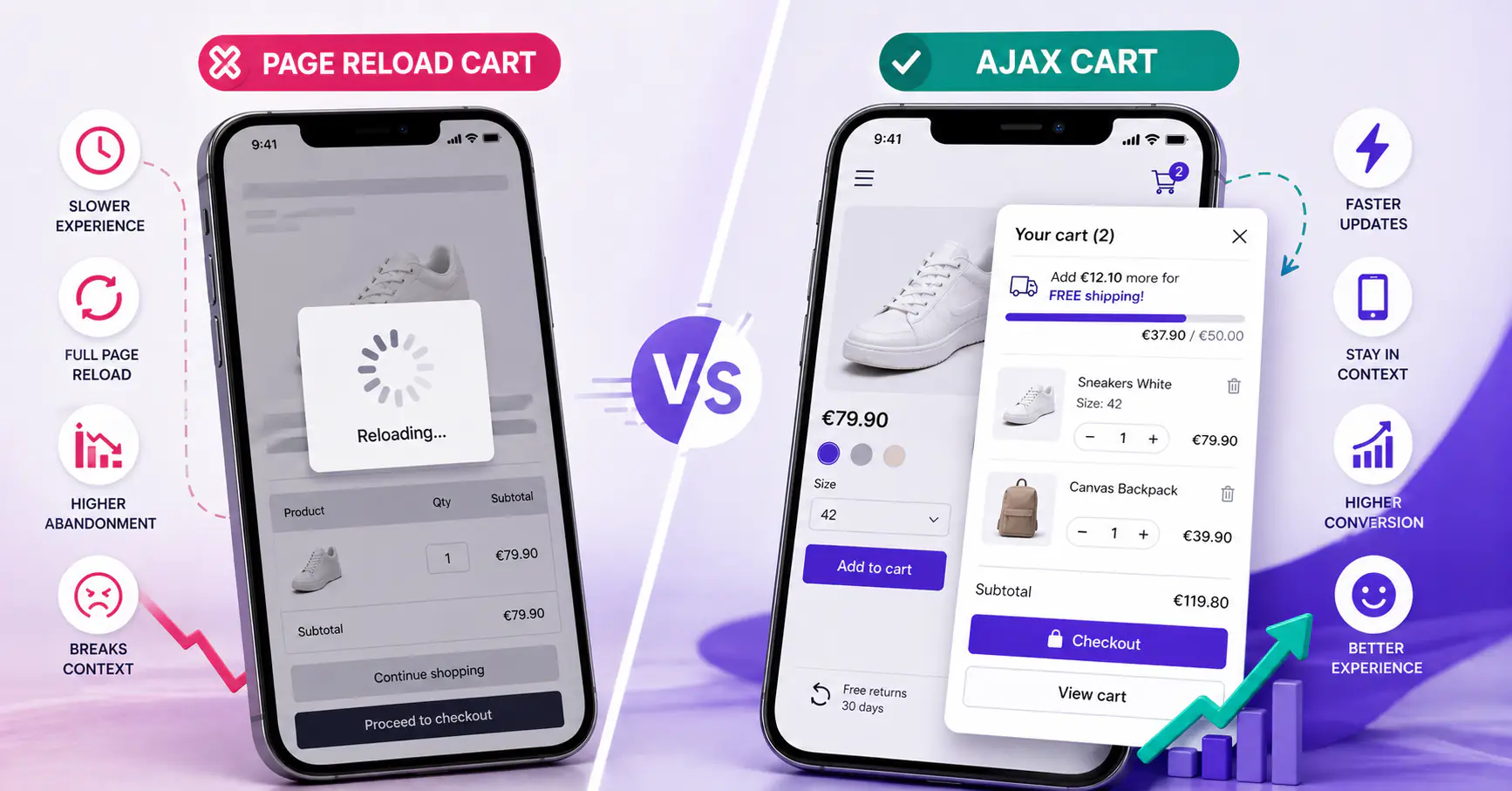
When you add a product to a PrestaShop cart, the default behavior reloads the page. Newer patterns use AJAX — the cart updates in place without a page change. The question for store owners is whether the AJAX pattern actually moves the sales needle, or if it’s developer preference dressed up as optimization.
Short answer: yes, AJAX wins on conversion, UX, and perceived speed — but only if implemented correctly. Here’s the comparison across the dimensions that matter, with the SEO myth addressed at the end.
How each one actually works
Page reload cart (classic PrestaShop)
- User taps “Add to cart”
- Browser POSTs form to the cart controller
- Server processes, inserts cart row, returns full HTML page
- Browser receives 40-200KB+ HTML, parses it, reloads all CSS and JS, renders
- User sees cart page (now at top of scroll, out of product context)
Every step is a failure risk: slow server, flaky mobile connection, timeout, back-button mis-tap.
AJAX cart
- User taps “Add to cart”
- JavaScript POSTs to an AJAX endpoint (typically
/module/slidingcartblock/ajaxor similar) - Server processes, returns small JSON (200 bytes – 5KB)
- JavaScript updates the cart icon count, optionally opens a slide-in panel
- User stays in context; the product is still on screen
The difference isn’t just technical — it’s the difference between a customer who thinks “cart updated” and one who thinks “am I still shopping?”
Head-to-head on the dimensions that matter
Conversion rate
Industry research consistently documents a meaningful conversion lift from reducing friction in the add-to-cart flow. No single definitive study exists for PrestaShop specifically, but the convergent findings across platforms are clear:
- Baymard Institute identifies “overly long / complicated checkout process” and “site errors / crashes” as top-5 causes of cart abandonment — both exacerbated by full-page reloads (Cart Abandonment Rate Statistics, Baymard 2025).
- Google’s Core Web Vitals research documents that mobile users abandon 53% of sites that take longer than 3 seconds to load. A full-page reload on cart updates regularly crosses that threshold on 4G connections, especially with unoptimized PrestaShop themes (web.dev — Largest Contentful Paint).
- Amazon’s widely-cited finding: a 1-second delay reduces conversion by 7%. A cart-action reload easily adds 1-3 seconds vs an AJAX response of a few hundred milliseconds.
- Multiple ecommerce platform reports (Shopify Plus, BigCommerce) cite 5-15% conversion improvements from friction-reducing cart changes — slide-in panels, inline quantity controls, single-page checkouts — with the largest gains on mobile.
The lift is consistently larger on mobile because the page-reload penalty is bigger there: slower connections, less tolerance for context switches, and reload-triggered scroll resets that lose the user’s product context.
Perceived speed
A full page reload triggers a “page blank → content appears” moment that users experience as a delay even when the server is fast. A 400ms server response feels like 400ms with AJAX and like 1.5 seconds with a full reload, because the latter includes render, CSS parse, font load, and JS execution.
Perception is what drives abandonment, not server time. Faster-feeling carts convert better even at the same actual speed.
Cart update speed (add, remove, quantity)
This is where AJAX absolutely dominates. Changing quantity on a page-reload cart:
- Tap “+”, click confirmation, wait for reload, scroll back to the item
- ~2-5 seconds per change on mobile
Same operation on an AJAX cart:
- Tap “+”, value changes instantly, total updates inline
- ~200ms, no reload
On a cart with five items where a user wants to tweak quantities, AJAX saves 10-20 seconds. That’s the difference between “OK I’m done” and “forget it”.
Mobile UX
Covered in detail in Mobile cart UX for PrestaShop — 7 patterns that actually convert. Short version: AJAX is foundational to every mobile pattern that works (slide-in panels, toast notifications, sticky summaries). Page reload makes them impossible.
Server load
Counterintuitively, AJAX is easier on the server. A page-reload cart means:
- Full HTML render on every cart action
- All the page assets re-requested (unless aggressively cached)
- Database queries for header, footer, menu, related products, etc.
An AJAX endpoint returns JSON — typically 5-20x less bandwidth, fewer DB queries, lower CPU. On a shared hosting plan with limited resources, AJAX carts handle traffic spikes better.
Error handling
Page reload cart errors are brutal: stock out, coupon invalid, payment declined — each shows as a new page load. The user may not know what changed.
AJAX errors can be targeted: show a red toast next to the item, keep everything else intact, let the user correct one thing and retry. Better error recovery = fewer abandonments.
Back button behavior
AJAX can sometimes break the back button (if not implemented properly — no history entry for the cart action). Page reload has correct back-button behavior but reloads on every back click, which is a different frustration. Good AJAX implementations use History API to preserve back-button behavior; lazy ones don’t.
When page reload is fine
Page reload isn’t always wrong. Reasonable cases:
- Very small catalogs — 10 products, most users add 1-2 items, reload cost is negligible
- B2B stores with slow, deliberate buying cycles — customers add and review carefully; a full cart page is expected and wanted
- Legacy themes where AJAX retrofit costs more than sales uplift — an old store with €500/month revenue probably can’t justify migration
- Regulatory contexts where every cart action must be auditable — some industries prefer the explicit per-action reload for legal clarity
For typical B2C stores with mobile traffic, those exceptions rarely apply. Most stores on a reload cart today would be better off switching.
How to implement an AJAX cart in PrestaShop
Option 1: Native PrestaShop AJAX cart
PrestaShop 1.7+ ships with ajax-cart.js and a default controller endpoint. Many themes disable or don’t fully use it. Enabling: Shop Parameters → General → Enable Ajax on product page. Result is functional but minimal — cart updates in place, no slide-in panel, no free-shipping bar.
Option 2: Theme-level customization
Modify your theme’s cart-detailed.tpl and add JavaScript to intercept form submissions. Works but fragile; each theme update risks breaking it. Only recommended if you have in-house PHP/JS capacity.
Option 3: Dedicated slide-in cart module
A module that ships with all the AJAX patterns (slide-in panel, mobile controls, free-shipping bar, cross-sell) in a single install. Sliding Cart Block is our module in this category — AJAX-first, compatible with PrestaShop 1.7.8, 8 and 9, works with most themes without theme customization.
The SEO myth: does AJAX cart hurt ranking?
A recurring worry: “if the cart uses JavaScript, Google can’t see it, and my site will rank worse.” This is wrong, and has been wrong since roughly 2015.
Facts:
- Google renders JavaScript during crawl (Googlebot uses a recent Chromium engine since 2019)
- The cart page itself is typically
noindexor excluded from crawl — ranking doesn’t depend on it - Product pages and category pages are what matters for SEO, not the cart
- Schema.org structured data (Product, Offer, FAQ) is entirely independent of cart implementation
What could hurt ranking: slow JavaScript that tanks Core Web Vitals. A badly-implemented AJAX cart that blocks the main thread during page load can affect LCP and INP scores. But a well-implemented one (lazy-loaded, deferred, modular) has no negative SEO impact — and often improves rankings by improving dwell time, reducing bounce rate, and increasing conversion signals.
The full SEO context for PrestaShop carts is covered in the PrestaShop cart abandonment guide.
How to Add an AJAX Side Cart to PrestaShop 8 and 9 (Without Editing the Theme)
Frequently asked questions
Does the PrestaShop default AJAX cart work well?
It works, but minimally. It updates the cart icon count and allows add-to-cart without reload. It doesn’t include a slide-in panel, free-shipping bar, cross-sell block, or mobile-optimized quantity controls. For most stores, a dedicated cart module replaces or augments it.
Will an AJAX cart break my custom theme?
Depends on how you add it. Theme-level edits can break with theme updates. Module-level AJAX carts (like a slide-in cart module) inject via hooks and don’t require theme modifications — updates to the theme don’t affect them, updates to the module don’t require theme changes.
How much faster is AJAX cart in real numbers?
Average cart-update operation on PrestaShop:
- Page reload: 800-2500ms (depends on server, theme weight)
- AJAX: 150-400ms
That’s 5-10x faster per operation. Multiply by 3-5 cart tweaks per session and the cumulative difference is significant.
Is AJAX cart accessible for screen readers?
Yes, when implemented with ARIA live regions. A cart update should announce “Item added to cart” via aria-live="polite". Good cart modules include this; DIY theme implementations often miss it.
Does an AJAX cart work on PrestaShop 9?
Yes, as long as the module or theme code was updated for PrestaShop 9, which removed several old classes and methods. Check the module’s declared compatibility, or scan it with a compatibility checker before upgrading.
Can I still have a full cart page with AJAX?
Yes — most AJAX cart implementations keep the full cart page as a secondary option (accessible via “View cart” link). The slide-in is the default flow; the full page is for users who want to review before checkout. Both coexist.
Bottom line
For any PrestaShop store with meaningful mobile traffic (70%+ of stores now), AJAX cart is table stakes. The expected 9-13% conversion improvement pays back the implementation cost within weeks on anything doing €5,000/month or more in sales.
The easiest entry point: a dedicated slide-in cart module that handles AJAX, free-shipping, mobile patterns and cross-sell in one install, without touching your theme.